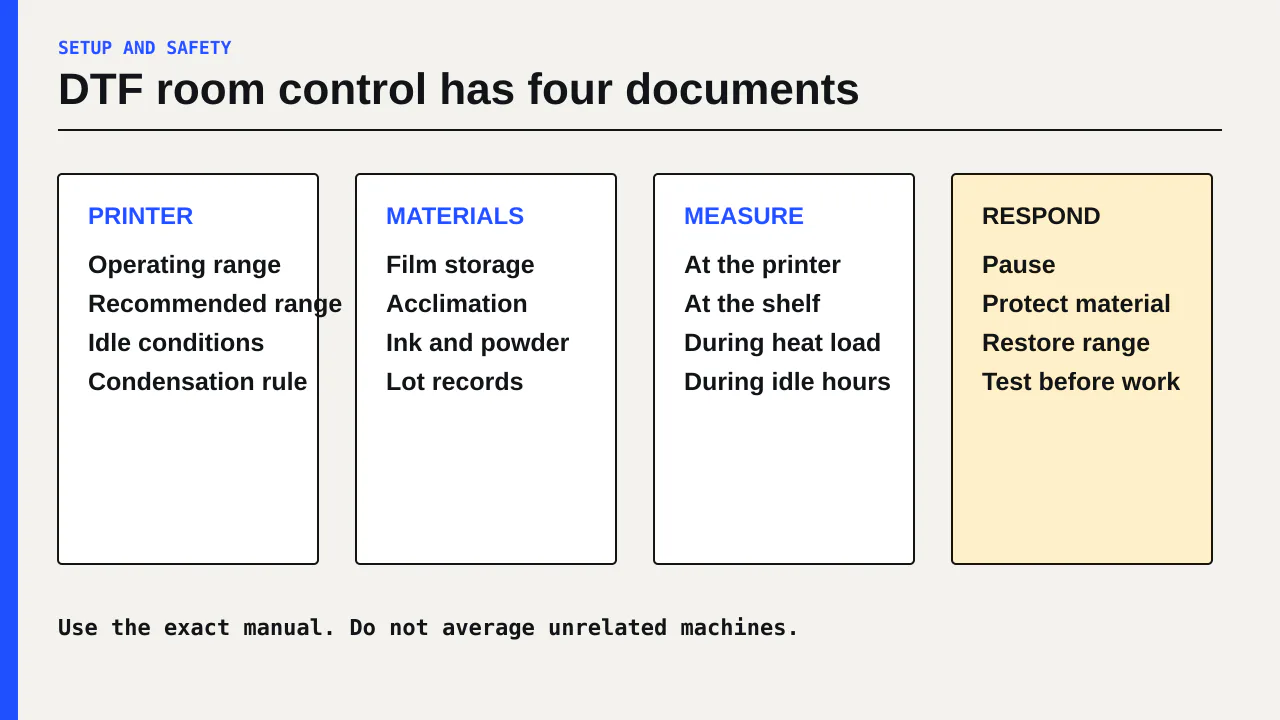
There is no single humidity target for every DTF printer. Use the operating and recommended ranges in your exact printer manual, then check the separate storage and acclimation instructions for film, ink, and powder. If a seller gives you one number without naming the machine and consumables, it is not a complete room plan.
This guide is for a small shop deciding whether a spare room, garage, or production corner can support DTF. It gives you a three-part control method: document each allowed range, measure where the materials sit, and record conditions when a defect appears.
Evidence status: Researched assessment based on current manufacturer manuals. It does not replace the installation instructions for your model or a site assessment by a qualified HVAC or electrical contractor.
The manual ranges do not agree
Three current DTF printer manuals make the point clearly. Epson recommends 68 to 77°F and 40 to 60% relative humidity for the SureColor G6070, while listing a wider operating envelope of 50 to 95°F and 20 to 80% RH without condensation.[1] Mimaki specifies 68 to 86°F and 35 to 65% RH for the TxF150 and TxF300.[2] Roland specifies 68 to 82.4°F and 40 to 60% RH without condensation for the BY-20.[3]
Those figures belong to three different machines. They are not a range to average. A shop with a BY-20 should use the BY-20 documents. A shop comparing equipment should put each candidate’s range into its site checklist before accepting a quote.
| Example machine | Documented production conditions | Extra point from the maker |
|---|---|---|
| Epson SureColor G6070 | Recommended 68 to 77°F, 40 to 60% RH | Media may require narrower conditions |
| Mimaki TxF150 and TxF300 | 68 to 86°F, 35 to 65% RH | Avoid direct air conditioning and rapid changes |
| Roland DG BY-20 | 68 to 82.4°F, 40 to 60% RH | Maintain specified conditions when idle too |
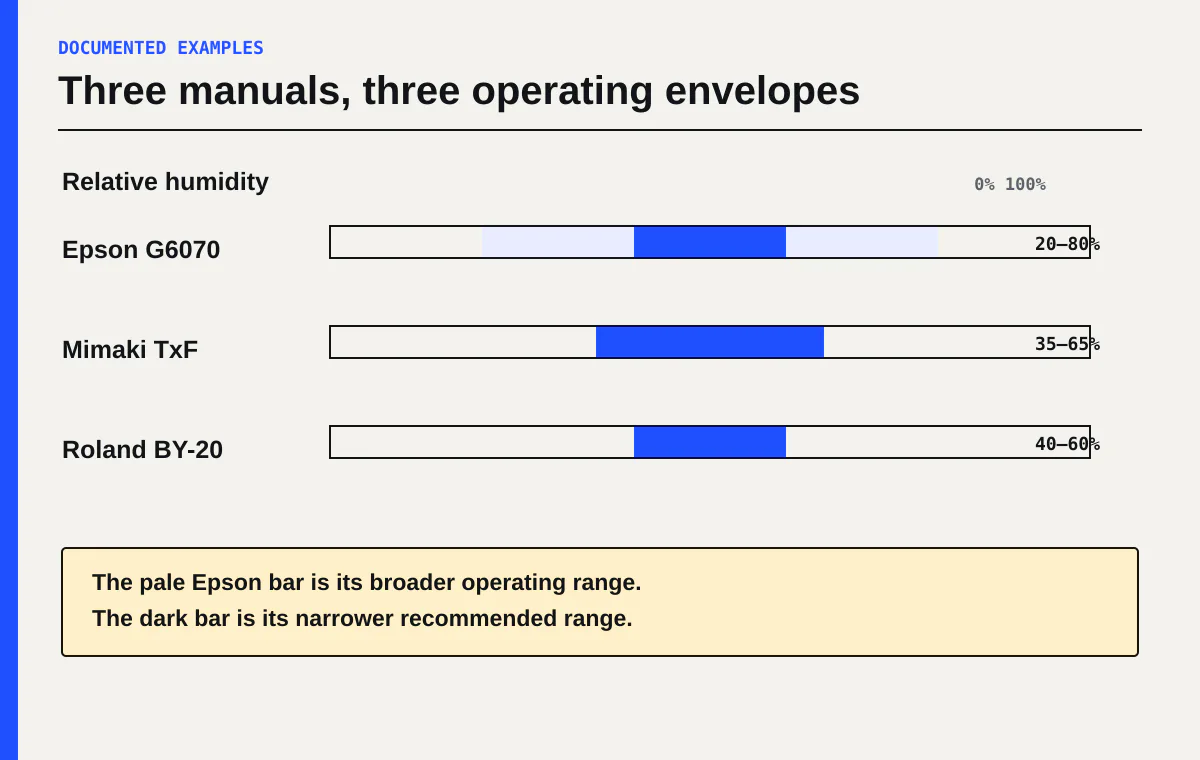
The wider Epson operating envelope is not the same as its recommended range for stable work. That distinction matters. A room can be inside a machine’s permitted limits while still being outside the narrower conditions the maker recommends for consistent printing.
Control the printer, film, and powder as separate systems
A wall hygrometer beside the door tells you about that wall. It does not prove that a cold roll of film, a shelf above a curing oven, and the printer bed share the same conditions.
Build a one-page conditions sheet with separate rows for:
- The printer’s operating and recommended temperature and RH
- Conditions required while the printer is idle
- Film storage and working conditions
- Film acclimation time, if the film or printer maker gives one
- Ink and powder storage conditions from their current labels or technical sheets
- A strict no-condensation rule wherever the equipment documents require it
Mimaki says media can expand or contract with temperature and humidity. Its TxF manual tells operators to let newly opened media acclimate in the work area for at least 30 minutes before loading.[2] Epson says to keep media dry, away from direct sunlight, excessive heat, and humidity, and to remove and repackage unused media rather than leaving it loaded.[1]
This gives you a useful distinction. Room control keeps the printer inside its envelope. Material control keeps film and consumables from arriving at the printer in a different state. You need both.
Put sensors where a decision happens
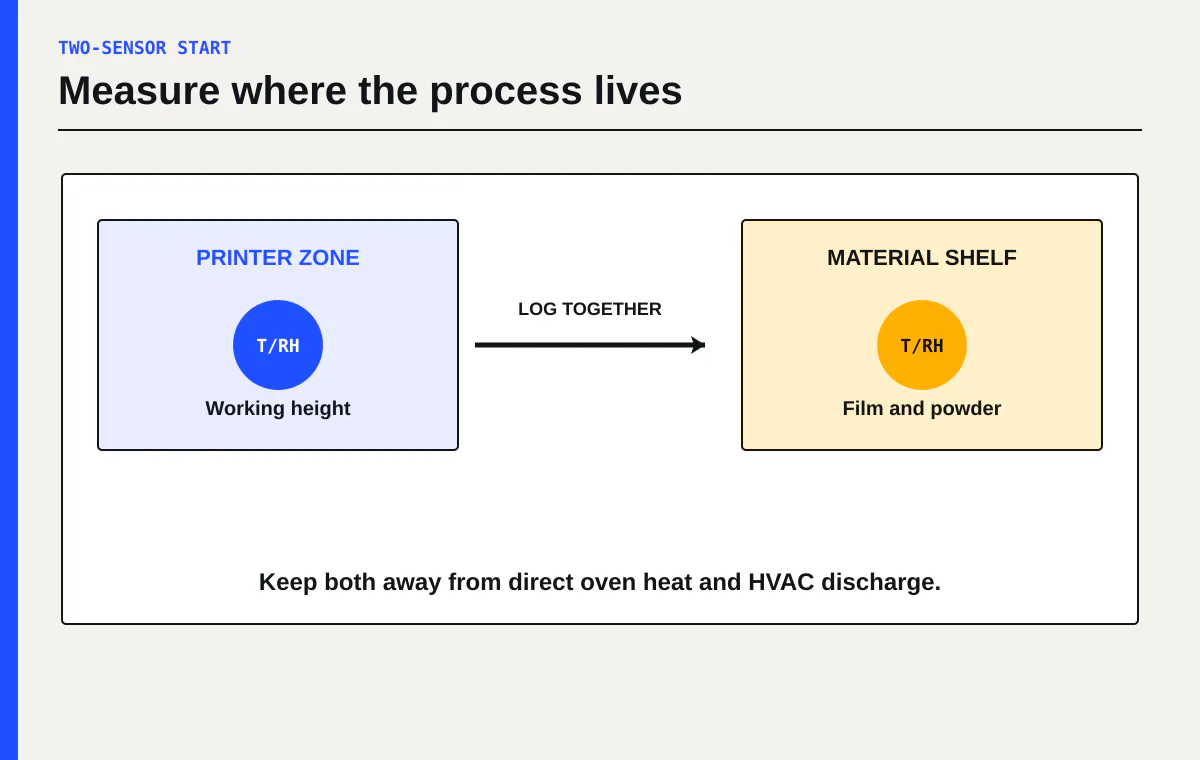
Start with two temperature and RH sensors. Put one near the printer at roughly working height, away from the curing oven’s direct heat. Put the other where unopened film and powder are stored. A third sensor near the room return or entry can help explain HVAC cycles, but it should not replace the two process locations.
Use instruments as trend indicators unless they have a current accuracy specification you trust. Two inexpensive sensors that disagree by several RH points can still show that the room changes sharply when the air conditioner starts. They cannot tell you which display is correct without a comparison against a known reference.
Record four fields at opening and when a defect appears:
| Field | What to write down |
|---|---|
| Time and condition | Opening, after HVAC start, during production, or after shutdown |
| Printer area | Temperature and RH beside the machine |
| Material area | Temperature and RH at film and powder storage |
| Print evidence | Nozzle test status, film lot, defect, and first stage where it appears |
A log is more useful than a preferred number copied from a forum. It can show that nozzle loss appears after a dry overnight period, that film curl begins after rolls move beside the oven, or that a registration shift follows a rapid room change. It can also show no relationship, which keeps you from blaming humidity for a mechanical or profile problem.
Do not diagnose every seasonal defect as humidity
Humidity can be a process variable without being the cause of the current failure. Use the defect to choose the next check.
If a nozzle test fails, follow the approved cleaning sequence in the printer manual. The daily maintenance checklist explains how to keep a small record instead of running repeated cleanings by habit.
If a nozzle test passes but broad light and dark bars repeat across the print, check film loading and feed correction. If white peeks beside color, check the model’s ink-landing or alignment procedure. The banding troubleshooting guide separates those patterns.
If unused film has curled, rippled, or changed size, compare storage and acclimation against the media instructions before changing printer values. If the defect appears only after powder, cure, or pressing, move downstream. Room conditions may influence the process, but the first bad stage is still the place to investigate.
Do not change humidity, cleaning level, feed correction, and print profile on the same trial. You will not know which change affected the result.
Plan for idle hours, not only the shift
The printer stays full of ink after the operator leaves. Roland tells BY-20 owners to maintain its specified temperature and humidity even when the machine is not in use, warning that failure can cause malfunction.[3] That instruction can rule out a room that is comfortable only while staff are present.
Before buying equipment, ask:
- Does the HVAC run overnight, on weekends, and during seasonal shutdowns?
- What happens to the room when a curing oven and heat press run together?
- Does conditioned air blow directly across the printer or film path?
- Can film and powder remain inside their documented storage conditions?
- Who receives an alert if the room leaves the machine’s allowed range?
- What is the safe shutdown or service step after an out-of-range event?
Mimaki warns against direct air conditioning and locations with significant temperature or humidity changes.[2] Moving more air is not automatically better if the discharge hits film or the print path. A qualified HVAC contractor can assess room load and airflow. The printer seller should supply the machine’s installation document before the site visit.
Use a written response rule
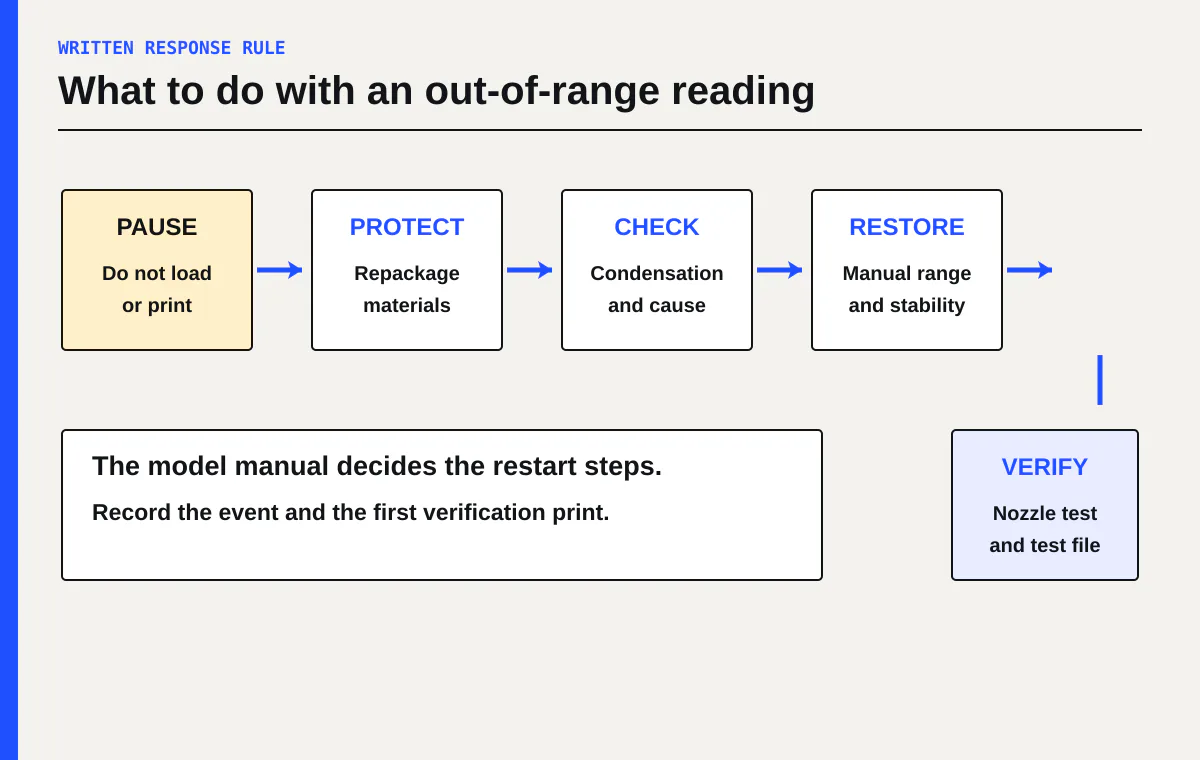
A sensor is useful only if the shop knows what to do with its reading. Write a short response rule beside the machine:
- Pause loading or printing when conditions leave the exact model’s permitted range.
- Protect open film and consumables according to their storage instructions.
- Check for condensation and rapid temperature change. Do not operate equipment when the manual prohibits it.
- Restore the documented conditions without directing unapproved airflow at the print path.
- Follow the printer maker’s restart, inspection, and maintenance steps.
- Print a nozzle test and a small controlled file before returning to customer work.
This is a process rule, not a universal safety procedure. Equipment, electrical loads, humidification, dehumidification, and ventilation need a site-specific assessment. Use qualified installers, request the safety data sheet for every ink, cleaner, and powder, and read the site disclaimer.
Decide whether the room is ready
A room is not ready because one reading lands inside a preferred band. It is ready when you can show that the printer and materials stay inside their own documented conditions through production and idle hours, and when staff have a clear response to an exception.
If you are still comparing machines, add room control, sensors, HVAC changes, and monitored idle operation to the DTF setup comparison. A lower equipment quote can be the more expensive option if its permitted environment does not fit the room you have.
Your next action is to download the installation and user manuals for your exact printer. Copy every temperature, humidity, condensation, idle, and media-storage requirement onto one sheet. Then log the proposed room at opening, during peak heat load, and after closing before you approve the site.
Sources
[1] Epson SureColor G6070 User Guide