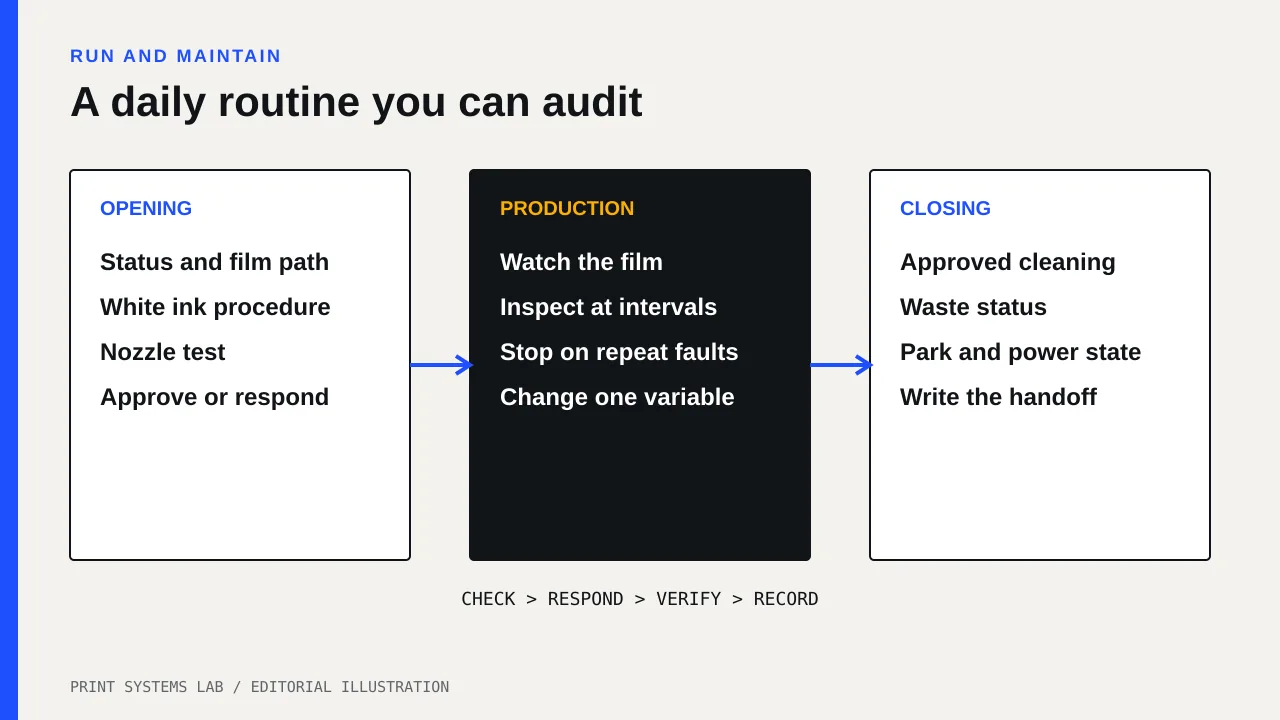
A useful daily DTF maintenance checklist has three checkpoints: prove the nozzles before production, watch the machine while it prints, and leave the wet end clean enough to park correctly. The printer manual decides the exact cleaning method. A routine copied from another model can waste ink or put cleaning fluid where it does not belong.
This guide is for a small shop assigning that work to one operator. It gives you a short control loop, a log that exposes repeat faults, and a clear stop point. It does not replace the maintenance section of your printer manual or your dealer’s training.
Start with a control loop, not a list of chores
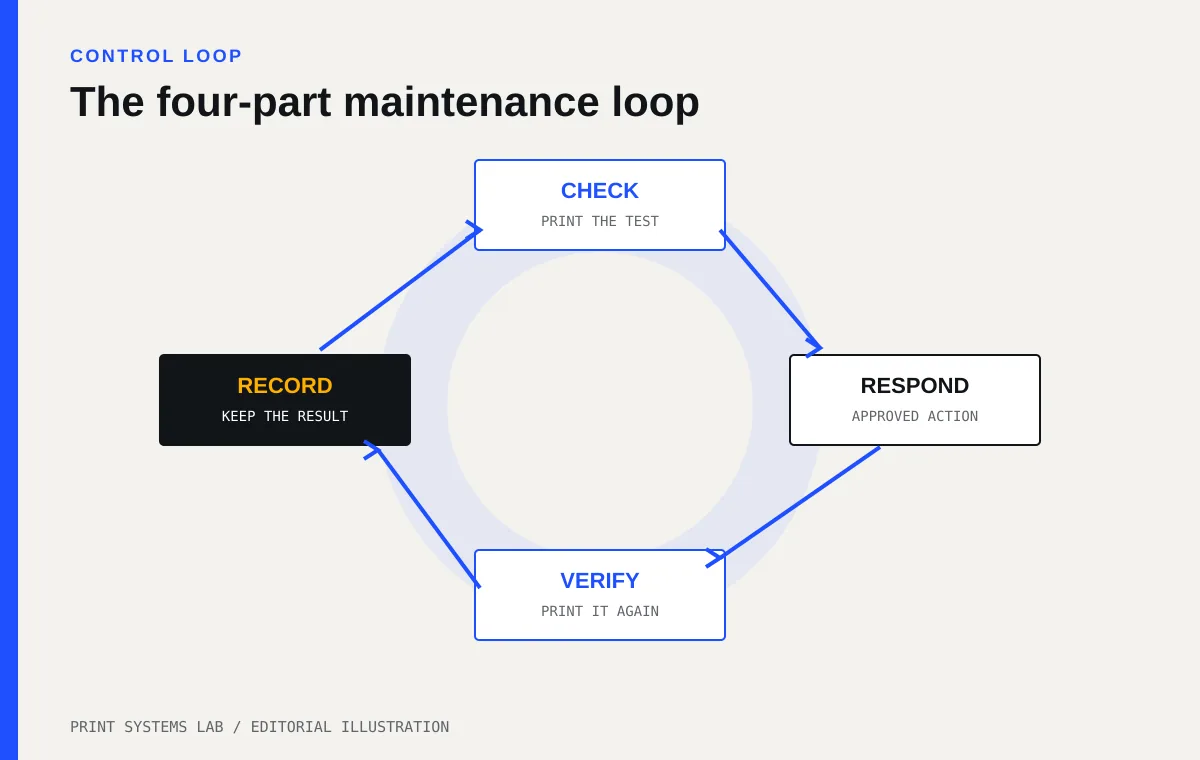
The shortest reliable routine is check, respond, verify, record. Print a nozzle test. If it passes, produce work. If it fails, use the lightest manufacturer-approved response, then print another test. Record the result before moving on.
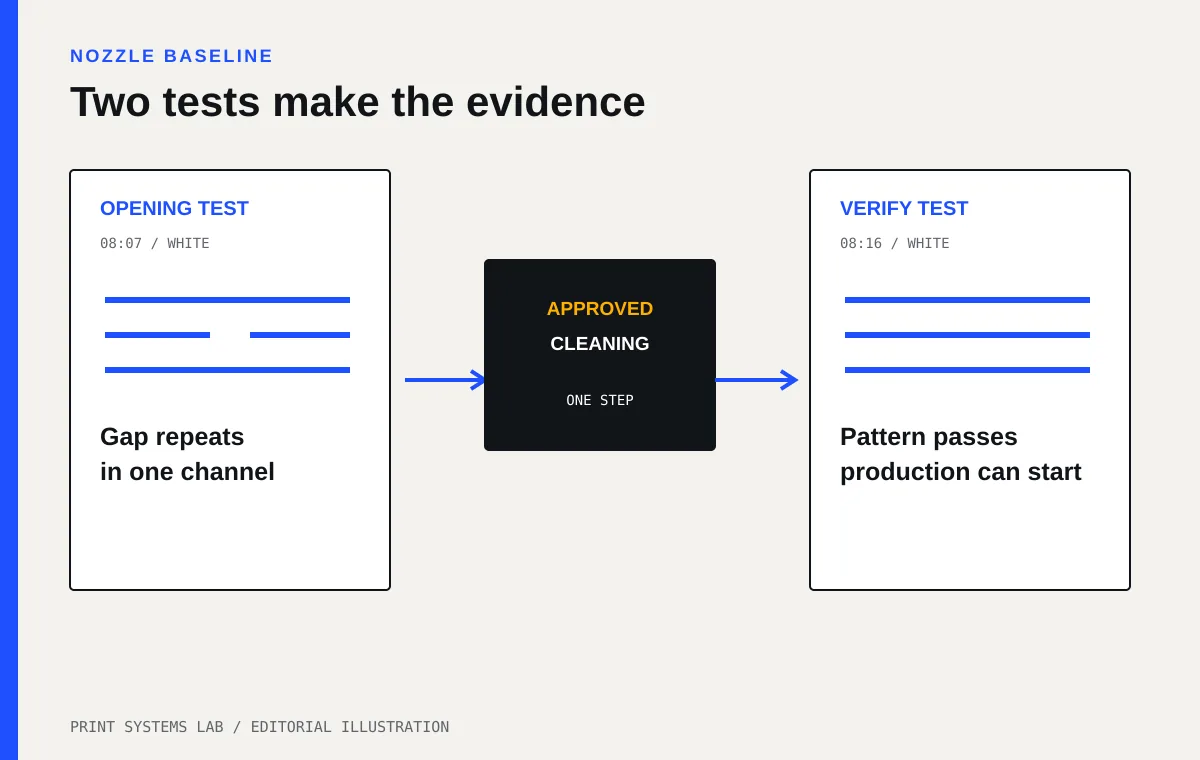
That order matters. Cleaning without a test gives you no proof that cleaning was needed. Printing after a cleaning cycle without another test gives you no proof that the fault cleared. The two test patterns create the before-and-after record.
Opening checklist before the first gang sheet
Use your model’s manual for the actual buttons, fluids, swabs, and access points. The Roland DG BY-20 manual, for example, separates white ink cartridge care, startup cleaning, and a print-head check. It also warns against using advanced cleaning more often than necessary.
- Read the printer status before touching anything. Deal with waste-fluid, consumable, cover, or maintenance messages first.
- Inspect the film path for scraps, powder, adhesive residue, wrinkles, or a loose roll.
- Follow the maker’s white ink procedure. That may mean cartridge agitation, built-in circulation, or an automated routine. Do not improvise by shaking a connected bulk tank or ink line.
- Print the model’s nozzle or dot-dropout test on the same class of film you plan to run.
- Date and keep the test, or photograph it against a consistent background.
- If the pattern fails, use the manual’s response ladder. Start with the least aggressive approved action.
- Print a fresh test after the action. Do not send a customer gang sheet until the pattern meets the manual’s pass standard.
White ink deserves its own line because the pigment can settle. Manufacturers tackle that problem differently. Mimaki says its TxF150-75 uses white ink circulation, a nozzle check unit, and a nozzle recovery system. A printer with those systems still needs its prescribed operator checks. Automation changes the checklist; it does not erase it.
The nozzle test is your daily baseline
A nozzle test is more useful than a vague note such as “prints looked fine.” It gives the next shift something to compare. One missing segment that returns in the same channel for three mornings points to a repeat fault. Random loss after the machine sits all weekend points somewhere else. Without saved tests, both problems become guesswork.
Mark each test with the date, time, operator, and the action taken. If your RIP or utility prints that information automatically, keep the output in a folder by week. A phone photo is acceptable if the image is sharp enough to see every line and the filename includes the date.
Checks during production
Daily maintenance continues after startup. Watch for a change rather than waiting for a finished pile of bad transfers.
Check the film as it enters and leaves the print zone. A cockled edge, head strike, skewed roll, or patch of loose powder can turn a clean nozzle pattern into spoiled output. Listen for a new scrape or repeated carriage sound. Look at the white underbase and color layer separately when the artwork makes that possible.
Set a fixed inspection interval based on your own risk. A shop running ten short sheets may inspect every sheet. A roll workflow may inspect at each job boundary or at a measured length. The interval is a shop control, not a universal manufacturer specification. Make it short enough that one fault cannot ruin an entire unattended run.
Pause when the defect repeats in the same place. Do not stack extra cleaning cycles because production is waiting. The BY-20 manual puts normal, medium, powerful, and light choke cleaning in an escalation order, and warns that light choke cleaning uses substantial ink and can damage printheads if overused. Your model may use different names, but the principle is the same: follow its ladder and verify after each approved step.
Closing checklist
The aim at closing is to let the head park and seal as designed. Dried ink or debris around the wet end can interfere with that seal. The exact areas an operator may touch vary by model.
- Finish or cancel the job through the normal software controls.
- Remove film or leave it loaded only as the manufacturer permits.
- Run the model’s required shutdown or daily cleaning prompt.
- Clean only the named operator-serviceable parts with the specified tools and fluid.
- Check the waste container or drain cartridge status.
- Confirm that the carriage returns to its parked position and that covers are closed.
- Leave the main power in the state the manual requires for automatic maintenance.
- Record the final nozzle result, cleaning action, and any fault for the next operator.
The BY-20 manual says its automatic maintenance can operate while sub power is off. It also recommends using the machine at least once a week and warns that settled or dried ink can cause unstable discharge and nozzle clogging. Do not turn off a wall strip because it feels safer without first checking your own manual. Some printers need standby power to protect the ink system.
What belongs in the operator log
A good log is short enough to complete on a busy day. It needs evidence, not a diary.
| Field | What to record | Why it helps |
|---|---|---|
| Opening nozzle test | Pass, channel affected, photo or sheet ID | Establishes the starting condition |
| White ink action | Exact manual procedure completed | Shows whether the routine was skipped |
| Cleaning | Level or named procedure, plus count | Exposes repeated ink use and escalation |
| Verification | Pass or remaining defect | Proves whether the response worked |
| Film and environment | Film lot, room reading if your manual specifies one | Connects faults to changed conditions |
| Closing | Shutdown cleaning completed, waste status | Gives the next operator a clean handoff |
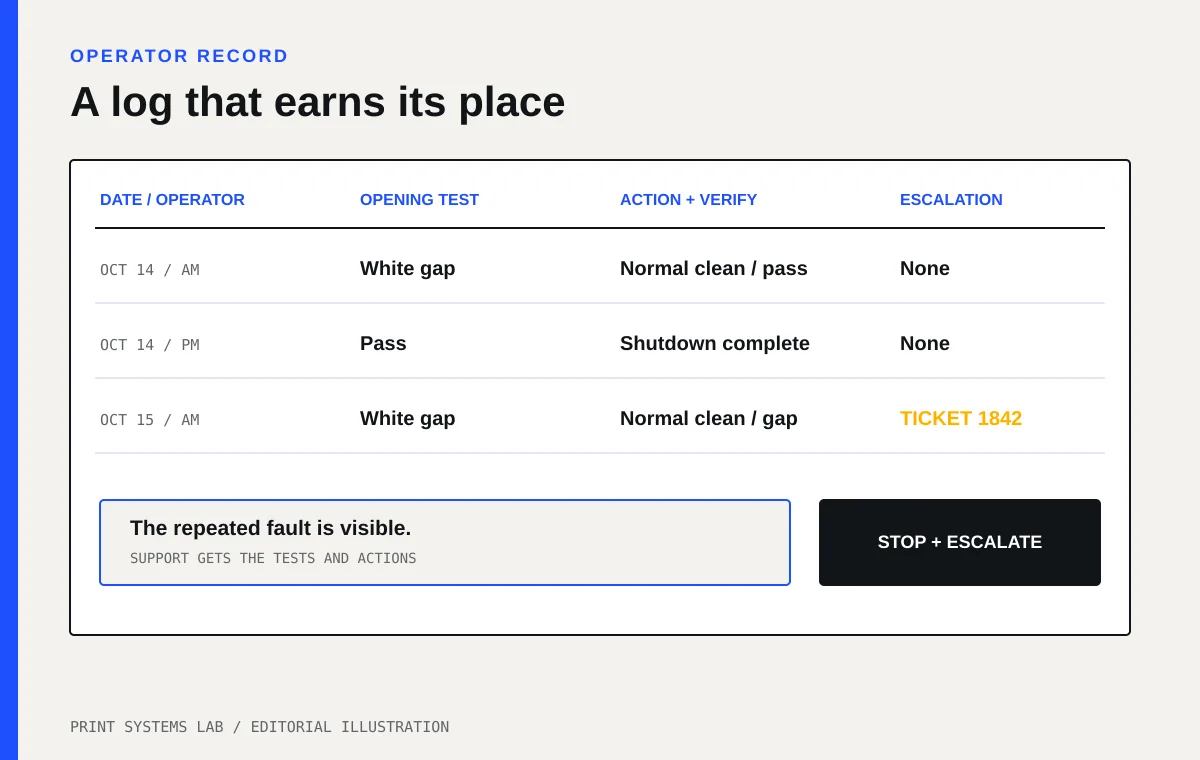
| Escalation | Ticket number, dealer contact, machine stopped | Prevents two people from repeating the same failed fix |
Set a hard stop for maintenance
Stop production when an approved cleaning does not improve the verification test, when a defect returns immediately, when the head contacts film, or when the printer shows an error your manual assigns to service. Repeating stronger cleans is not a maintenance plan.
Take a clear photo of the test pattern and the defect. Record the ink, film, and cleaning steps already used. Send that package to the dealer or manufacturer support contact. It is more useful than “white is bad,” and it reduces the chance that support asks you to repeat work you already did.
Keep fumes, cleaning liquids, electrical work, and powder handling inside the supplier’s safety documents. Ask for the current safety data sheets and use a qualified installer for room ventilation or electrical changes. See the site’s safety disclaimer before changing the setup.
Price the routine as production labor
If opening takes 12 minutes and closing takes 15, record those real times for a week. They are part of making a usable transfer. Enter the average in the DTF cost per transfer calculator and compare it with the assumptions in the labor and waste cost guide.
Your next action is simple: print the maintenance pages from your machine manual, build a one-page log with the seven fields above, and run it for five working days. At the end of the week, circle every repeated cleaning and every failed verification. Those are the faults to take to support before they become normal.