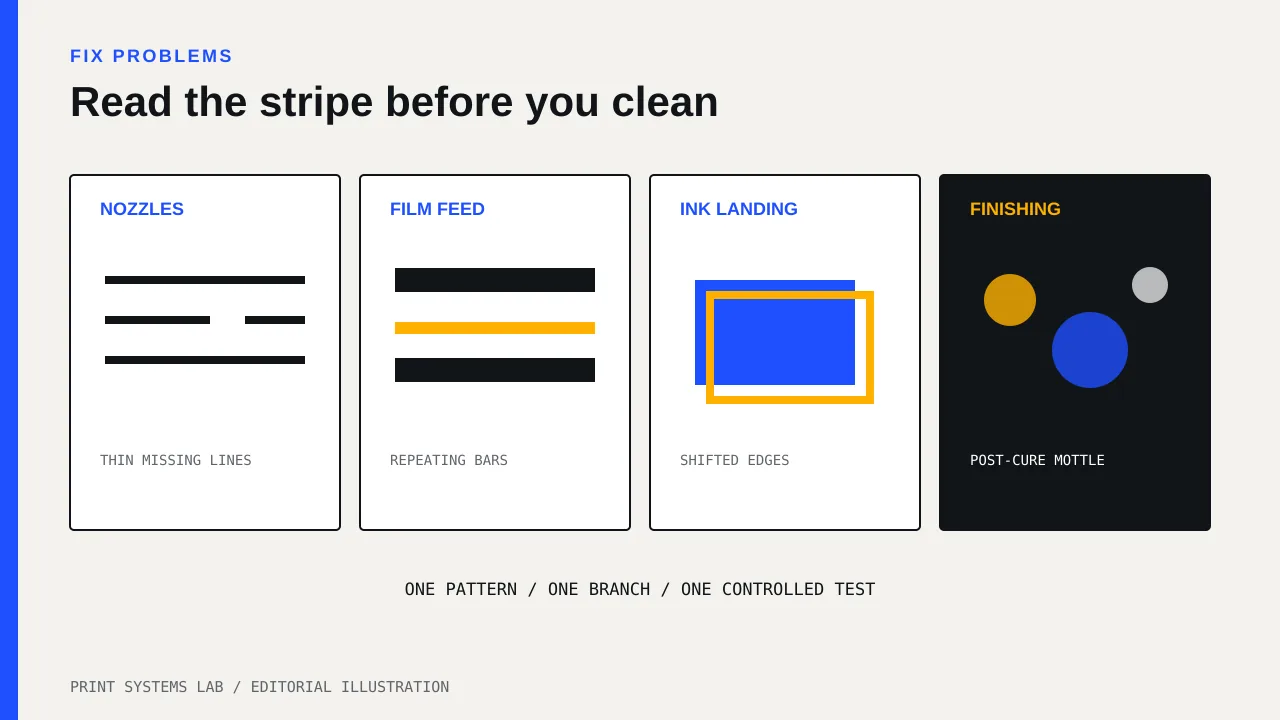
Do not answer every DTF band with a head clean. First decide whether the defect stays tied to a nozzle, repeats across the film-feed direction, shifts between color and white, or appears only after powder and cure. Those four patterns point to different checks.
This guide is for an operator who can safely run the tests in the printer manual but should not open covers, adjust electronics, or flush ink paths without model-specific instructions. The useful skill is pattern reading: change one variable, print a small controlled test, and keep the evidence.
Separate the four faults people call banding
“Banding” is a description, not a diagnosis. Shops use the word for any stripe or repeating line. Put the bad print under neutral light and decide which pattern is closest.
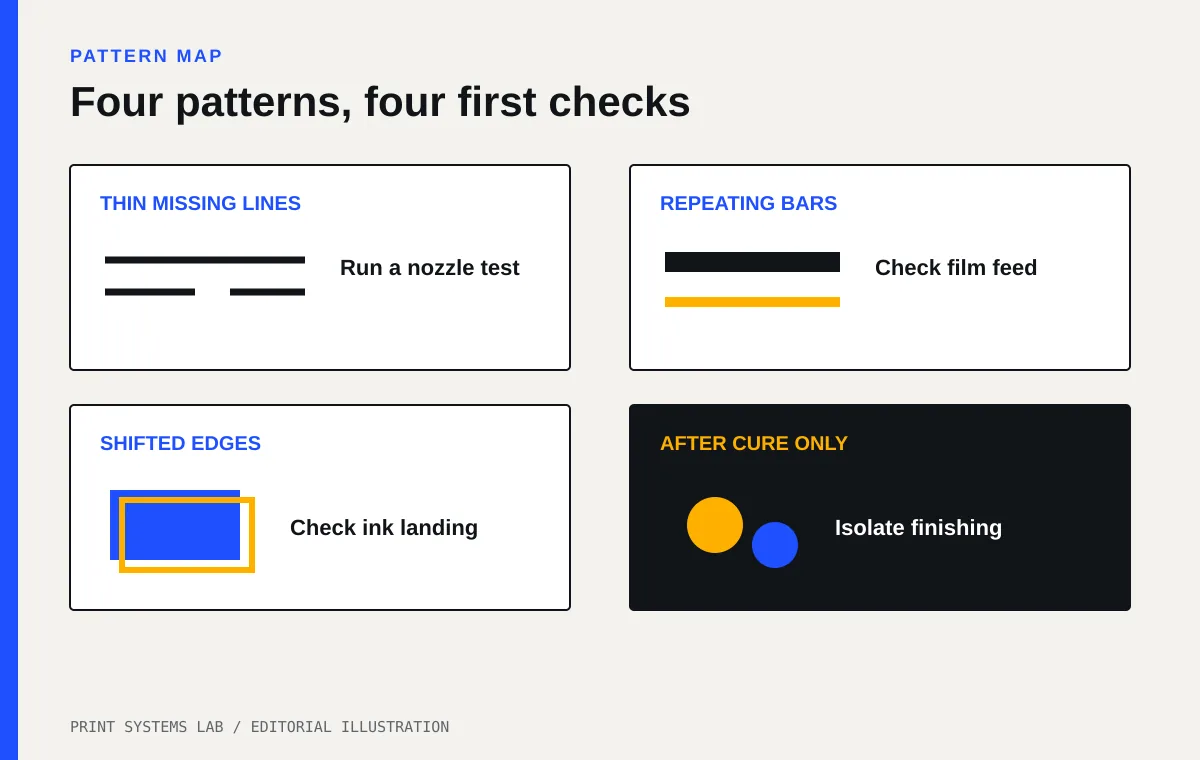
| Pattern | First check | What not to assume |
|---|---|---|
| Thin missing lines in a color or white area | Nozzle or dot-dropout test | Do not assume film feed caused a missing channel |
| Broad light and dark bars at a regular pitch | Feed correction and film loading | Do not clean the head before checking the nozzle pattern |
| Colored edge or white peeking beside color | Ink landing or bidirectional alignment | Do not fix registration with a feed value |
| Mottle, gloss bands, or uneven adhesive after cure | Print before powder, then powder and cure separately | Do not assume every post-cure stripe came from the printer |
Start with a nozzle test
Run the printer’s nozzle, dot-dropout, or test-print pattern before cleaning. Save it. The Roland DG BY-20 manual tells the operator to run a printing test, inspect it, and use normal cleaning when dot dropout or dot displacement appears. It then calls for another test after cleaning.
If the same small segments are missing from the test and the customer image, stay on the nozzle-loss branch. Use the lightest approved cleaning step. Print a fresh test after each step. Stop when the pattern passes or when the manual tells you to move to the next level.
If the nozzle test is clean, another head clean has little diagnostic value. Move to film feed, ink landing, or the finishing process. This saves ink and keeps you from hiding the original symptom under several unrelated adjustments.
A repeat fault needs a record. Note the affected channel, the first test, cleaning level, second test, film lot, and time since the previous run. The daily maintenance checklist gives you a small log for this.
Read horizontal gaps and overlaps as feed evidence
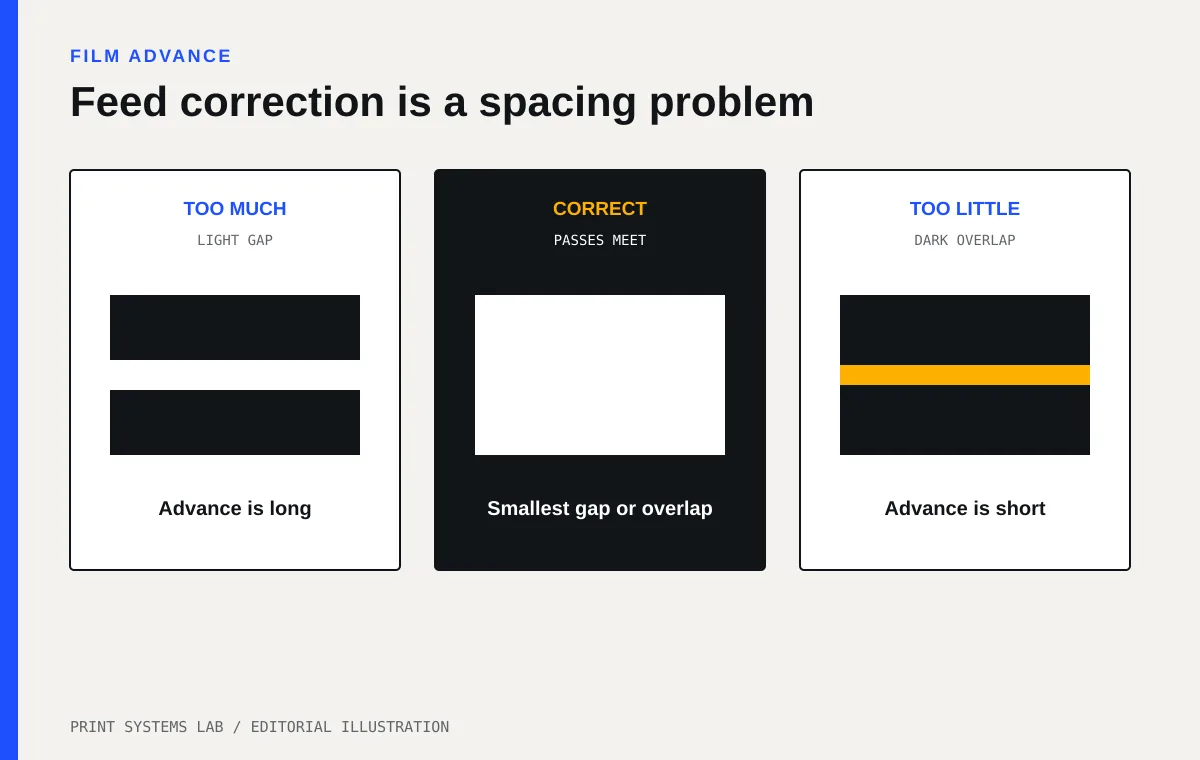
A feed problem produces a broad repeating pattern across the print. Too much advance can leave a gap between passes. Too little can overlap passes and make a darker stripe. The pattern usually repeats at a steady pitch in the direction the film travels.
Check the simple causes before entering a correction value:
- Confirm that the film is loaded square and under the maker’s permitted tension.
- Check for wrinkles, edge curl, a loose roll, or contact with a guide.
- Confirm that the selected media profile matches the film in the machine.
- Run the manual’s feed-correction test on that film.
- Change only the feed value, then print the same controlled image again.
Roland’s manual feed-correction page describes choosing the result with the smallest gap and overlap between the test squares. That is a measurement task, not a reason to guess plus or minus values from a customer graphic.
Do not copy a correction value from another shop. Film thickness, coating, roll tension, and the printer’s own condition can differ. Keep a known-good value by film stock and lot, but rerun the prescribed test when the material or loading changes.
Treat shifted color and white as an ink-landing problem
A DTF image can look striped when the color layer and white underbase do not land together. Look at a hard edge. If white peeks out consistently on one side, or cyan and magenta create a colored shadow, the problem is registration rather than a missing nozzle.
The BY-20 manual separates feed correction from media-gap adjustment. It describes media-gap values as corrections for ink landing changes caused by head height or media thickness. Your printer may call this bidirectional alignment, drop-position adjustment, head alignment, or media-gap correction.
Use the exact test pattern for your model. Confirm the film and print mode first. Then select the clearest aligned pattern and verify on a small image with hard edges. Do not adjust feed and landing at the same time. If the result improves, you need to know which change did it.
Head height and head strikes are service-sensitive areas. If film is buckling into the carriage path, stop. Correct the loading only within the manual. Contact support if the printer strikes the film or if alignment will not hold.
Isolate defects that appear after printing
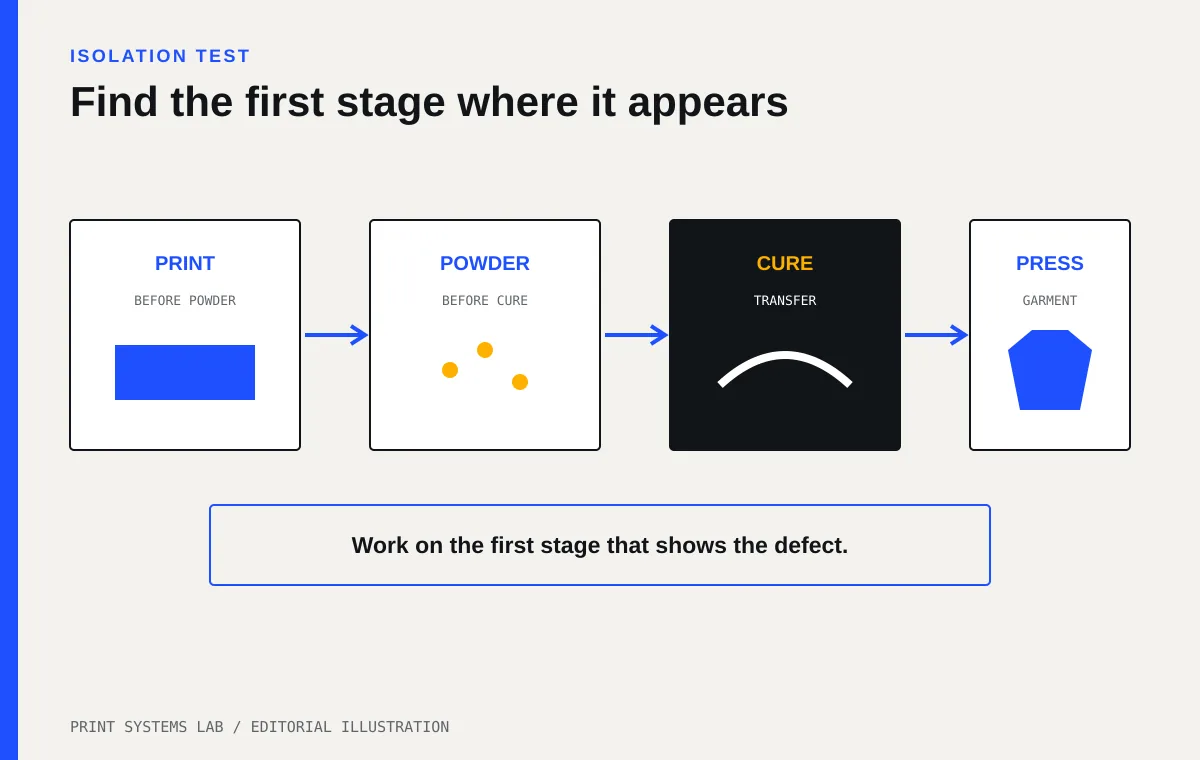
Inspect a strip before powder is applied. If the ink layer is even at that point but the defect appears after powder, cure, or pressing, the printhead is not the first suspect.
Use a small test grid and mark four checkpoints:
- Freshly printed film before powder
- Powdered film before cure
- Cured transfer before pressing
- Finished garment after pressing
Keep artwork, film, powder, and machine settings fixed while you locate the first stage where the stripe appears. Uneven powder coverage can leave patchy adhesive. A cure process can reveal gloss or flow differences. Press contact can create a garment-side line. The safe operating values come from the film, powder, oven, and heat-press suppliers. Do not copy a time or temperature from an unrelated system.
Powder and cure work also raises ventilation and handling questions. Request the current safety data sheet for each ink, cleaning liquid, and powder. Use a qualified installer to assess extraction and electrical work, and read the site disclaimer. This article does not set a safe exposure limit or room design.
Use one controlled test image
Build a small file that exposes each branch without using a full gang sheet. Include solid cyan, magenta, yellow, black, and white blocks; a neutral gray; thin horizontal and vertical lines; hard color-to-white edges; and a smooth gradient. Label the file with its version so operators do not quietly change it.
Print the same file after each adjustment. Keep the same film, profile, pass mode, and orientation. A new design introduces too many variables. If the test is clean but one customer file still bands, check that file’s gradients, transparency, resolution, and RIP treatment before touching the printer again.
A controlled test also puts a dollar boundary on troubleshooting. Record the film length and ink used for each attempt. Add failed output to the labor and waste cost guide rather than treating it as free maintenance.
Follow a stop rule
Stop changing settings when the nozzle test still fails after the manual’s approved sequence, feed correction cannot produce a clear best pattern, alignment changes do not hold, the head contacts film, or the defect appears with an error message. Save the evidence and contact the seller or manufacturer.
Send support the opening nozzle test, the post-cleaning test, a photo before powder, a photo after cure, the film and ink identifiers, the selected profile, and the exact adjustments made. This lets a technician see the branch you already ruled out.
Your next action is to print one nozzle test and one 6-inch controlled test strip. Mark where the defect first appears, then choose only one branch: nozzles, feed, ink landing, or finishing. Do not make a second change until the first one has a verification print.