There is no source-supported cure temperature that fits every DTF powder, film, oven, shaker, and heat-press workflow. Start with the written recipe for the exact matched system. Keep powder curing separate from pressing the transfer onto a garment, then change one variable at a time.
This guide is for an operator dealing with powder that stays dry, film that warps, uneven adhesive, or transfers that fail after pressing. The main diagnostic move is to locate the first bad stage: powder coverage, cure, storage, or garment application.
Evidence status: Researched assessment based on manufacturer application guides, technical sheets, product specifications, and one product-specific safety data sheet. It does not set a safe room design, exposure limit, or universal cure recipe.
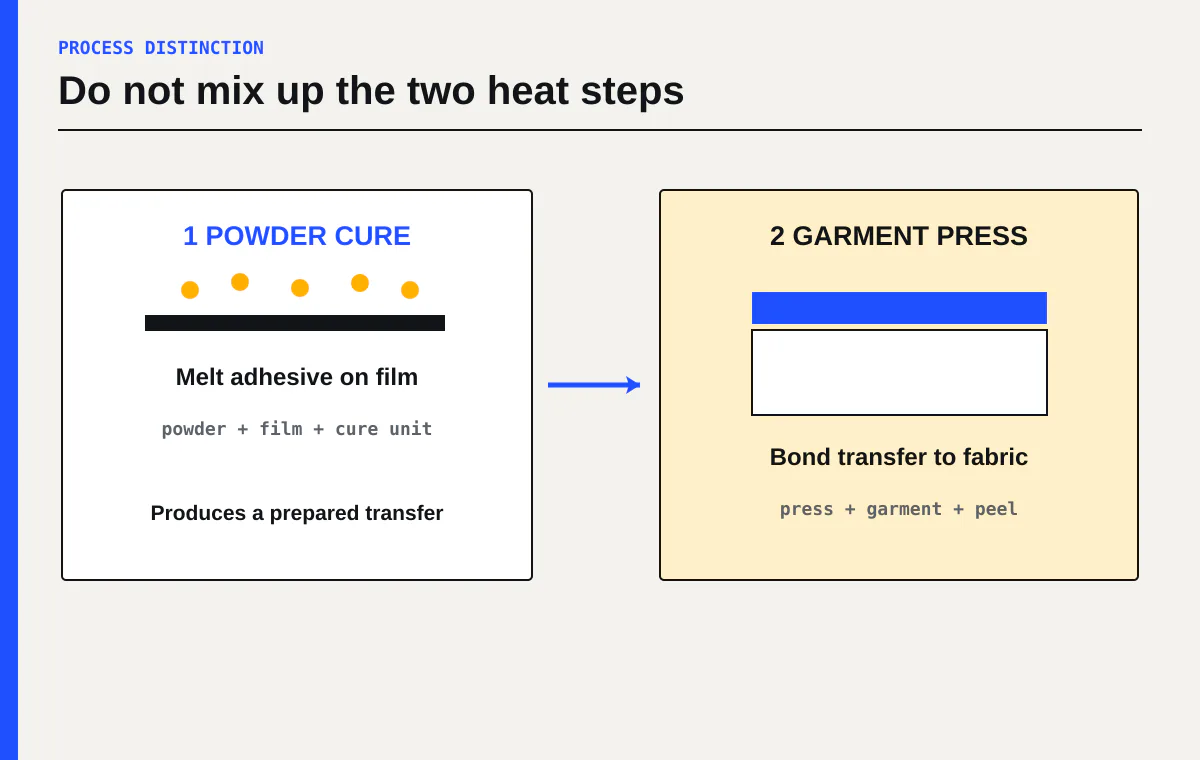
Cure and garment pressing are different heat steps
Powder cure melts and sets the adhesive on the printed film. Garment pressing later bonds that prepared transfer to fabric. A temperature printed on a powder sheet may describe a melting range, an oven setting, or a garment press setting. Those numbers are not interchangeable.
The variation in published instructions is large. Kodak lists one oven workflow at 110 to 125°C for 2 to 3 minutes, and another at 100 to 120°C for 2 to 3 minutes. The same guide gives a separate hovering heat-press method at 140 to 150°C for 3 to 5 minutes with a 4 to 7 mm gap and says not to close the press.[1] InkTec’s powder sheet lists a melting range of 95 to 110°C, calls for even heat at 160°C in its process instructions, and lists 140 to 170°C as pressing temperature.[2]
DTF Station publishes 257°F for 60 seconds to cure its Color Prime powders, then separately lists 284°F for 10 seconds as the transfer setting.[3] These are product-specific recipes. None is permission to use the same setting on unrelated film and powder.
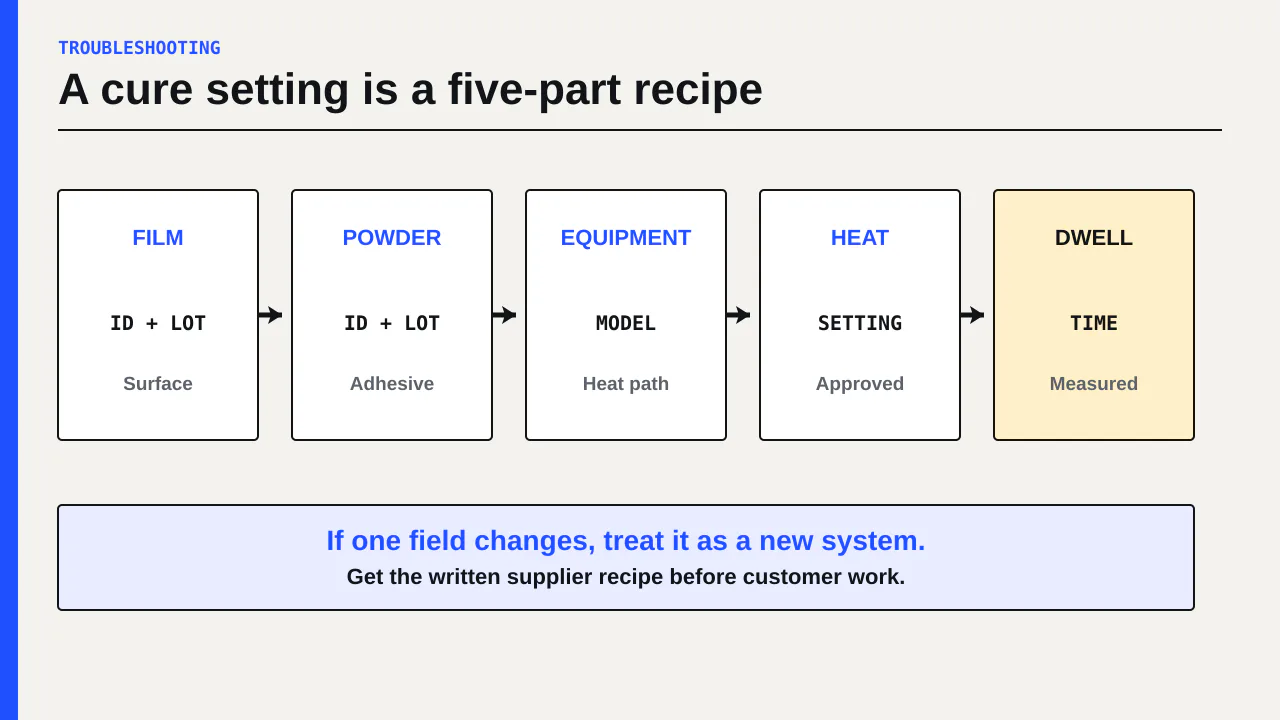
Write the approved recipe at the machine with five fields: film, ink, powder, cure equipment, and garment application instructions. If one field changes, treat it as a new system until the supplier confirms compatibility and you validate it on non-customer material.
Find the first stage where the transfer changes
Do not judge the whole process from a shirt that peels after washing. That result is several steps removed from the printed ink.
Keep one small controlled artwork file and inspect it at these checkpoints:
- Wet print before powder
- Powdered print before cure
- Cured transfer under neutral light
- Transfer immediately after garment pressing and the specified peel
- Finished sample after the supplier’s required post-press and care sequence
If the wet print is already banded, shifted, or missing ink, work on the printer. The DTF banding guide explains how to separate nozzle, feed, alignment, and downstream defects.
If the wet print is clean but adhesive coverage has gaps before cure, inspect powder application and excess removal. If coverage looks even before cure but dry grains remain afterward, work on the cure branch. If the cured transfer looks consistent but does not release or bond during application, verify the garment press temperature, contact, time, peel method, obstruction, and fabric suitability against the transfer instructions.
That sequence prevents a common waste loop: raising oven heat to fix a press-contact problem, then damaging film without improving adhesion.
Read the adhesive before changing a setting
Use the appearance criteria supplied by the powder or equipment maker. Do not invent a universal visual standard. Many operators describe a finished cure as glossy or gelled, but the exact acceptable surface depends on the consumable and system.
Look for four clues and record them with a photo:
| Observation | What it can justify checking | What it does not prove |
|---|---|---|
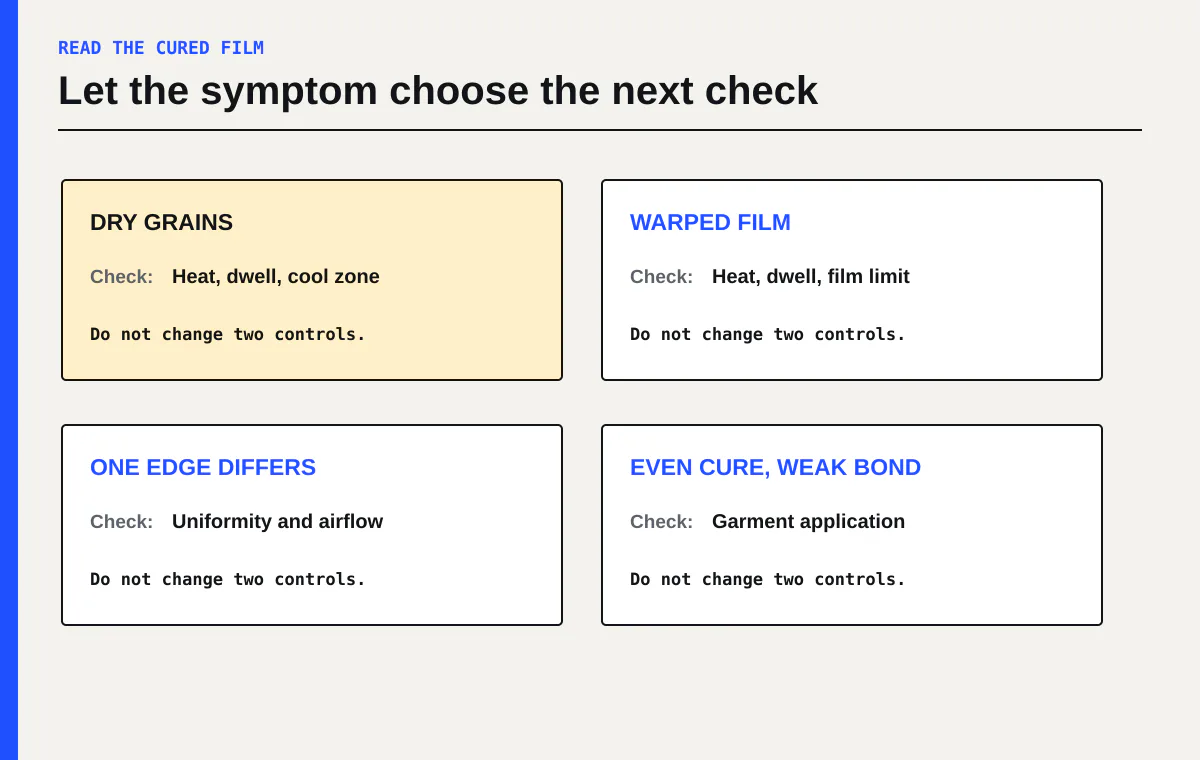
| Dry granules remain or rub away | Insufficient melt, short dwell, cool zone, or excess powder | That the controller temperature alone is low |
| Film warps or buckles | Excess heat for that film, uneven heat, or too much dwell | That every part of the transfer is fully cured |
| One edge looks different | Airflow, heater uniformity, belt loading, or powder distribution | That the printhead caused the difference |
| Cure looks even but shirt bond fails | Application recipe, pressure/contact, garment surface, or incompatible system | That more oven heat is the correct fix |
A controller setpoint is an input, not proof of the temperature experienced across the transfer. Belt speed changes dwell time. A wide loaded sheet can behave differently from a narrow strip. Exhaust or purifier airflow can alter heat retention. Roland recommends a cure oven or shaker with exhaust and heat-retention functions to support even curing and stable transfer performance.[4]
Change one cure variable at a time
Begin from the exact supplier recipe, not from the last product you ran. Keep a cure card for each approved film and powder combination.
Use a short test strip with solid white-backed color, fine detail, open interior areas, and edge shapes. Keep artwork, print mode, ink limits, film orientation, powder application, and test size fixed. Then adjust only one permitted variable:
- Cure temperature or heater setting
- Dwell time or belt speed
- Powder coverage and excess removal
- Sheet position or load width
- Approved extraction or airflow setting
Do not adjust temperature and belt speed together. Both change delivered heat. If the result improves, you need to know which control caused it.
Use the increment and limit stated by your equipment maker. Stop at its maximum or escalation point. More heat can warp film, change the adhesive, create handling risk, and hide an airflow or heater fault. If the approved recipe cannot produce a repeatable cure, save the evidence and contact the equipment and consumable suppliers.
Send support the consumable names and lot identifiers, cure equipment model, controller settings, measured belt time, sheet position, photos before and after cure, room conditions, and the first failed stage. A statement such as “257°F does not work” is incomplete unless the supplier knows which powder, where the sheet sat, how long it remained in heat, and what the cured adhesive looked like.
Check the whole heat path
A cure can be inconsistent even when the display repeats the same number. Map the process before replacing consumables.
- Time a marked piece of film through the heated zone. Record actual dwell rather than relying only on a belt dial.
- Run equal test pieces at the left, center, and right positions if the equipment instructions allow it.
- Keep sheet width and loading pattern consistent during comparison.
- Check that filters, exhaust paths, and clearances match the machine manual.
- Record room temperature and RH if results change across shifts.
- Ask the manufacturer how to verify temperature uniformity for that equipment. Do not place an unapproved probe inside a moving or heated machine.
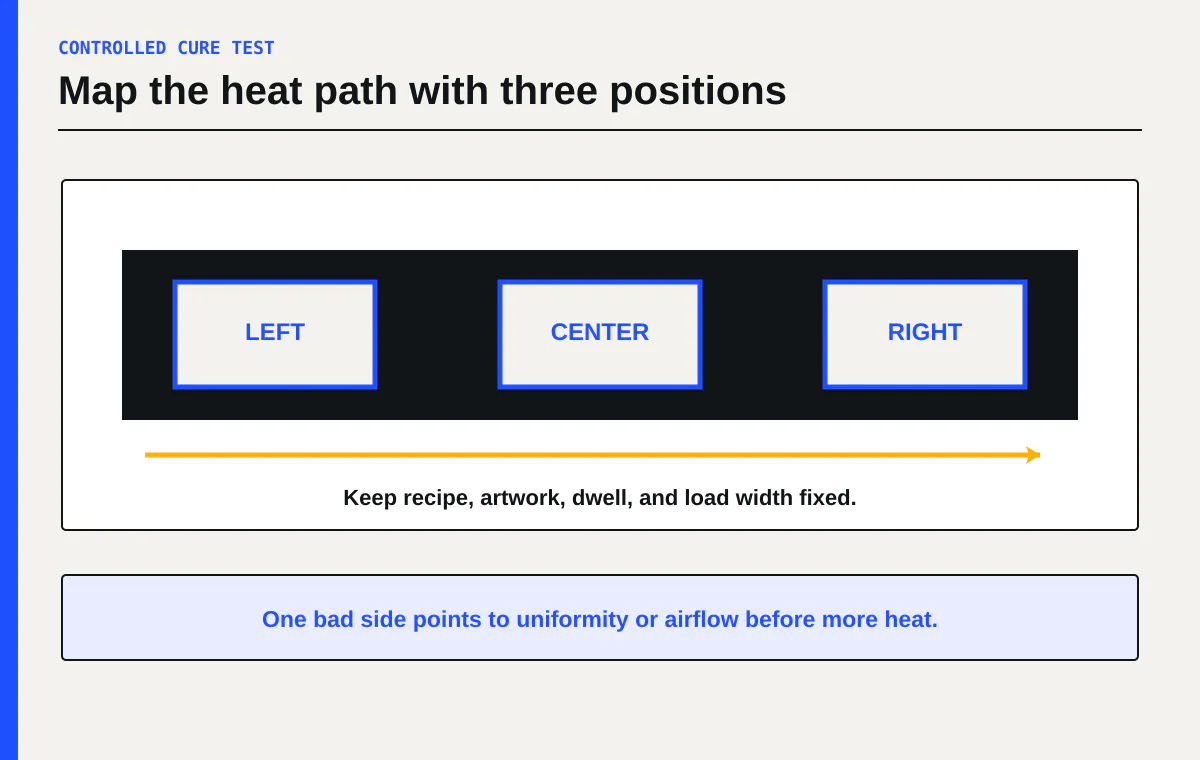
If only one side fails, investigate uniformity and airflow before increasing the setting for every sheet. If all three positions retain dry powder, confirm the recipe, actual dwell, heater operation, and powder identity. If all three warp, stop and check the approved film and cure instructions before reducing heat or time.
Treat powder and heated equipment as safety work
Powder handling and heating require product-specific documents. The STS Inks safety data sheet for its TPUP5 adhesive says molten material can burn skin. It calls for local ventilation equipment and identifies gloves for the heating process and eye or face protection.[5] Those statements apply to TPUP5. They do not establish controls for every powder on the market.
Request the current SDS for your exact powder, ink, and cleaning liquid. Ask the supplier to identify the curing equipment and extraction arrangement used to validate its recipe. Have a qualified ventilation or industrial hygiene professional assess source capture and room airflow. Use a qualified electrician for oven, shaker, and heat-press circuits. Read the site disclaimer.
Do not use this article to select a respirator, size extraction, set an exposure limit, bypass a guard, or probe live heated equipment. Follow the SDS and manuals for the products in the room.
Put failed cures into the cost model
Every cure trial consumes film, ink, powder, operator time, and equipment time. Record failed length and labor in the labor and waste guide. If you are deciding whether to bring production in house, add normal validation waste and an allowance for rework to the DTF cost calculator.
A process that makes one good sample after several undocumented adjustments is not ready for customer orders. A usable recipe names the consumables, gives the approved controls, produces the same result across the working area, and includes a stop rule.
Your next action is to take the cure number posted at your machine and label what it means. Write down the exact film, powder, equipment, temperature, and dwell source. If any field is missing, pause customer work and get the written recipe from the supplier before running one controlled three-position test.
Sources
[1] Kodak Film-to-Fabric Application Guide
[2] InkTec DTF powder technical specification sheet
[3] DTF Station Color Prime powder specifications