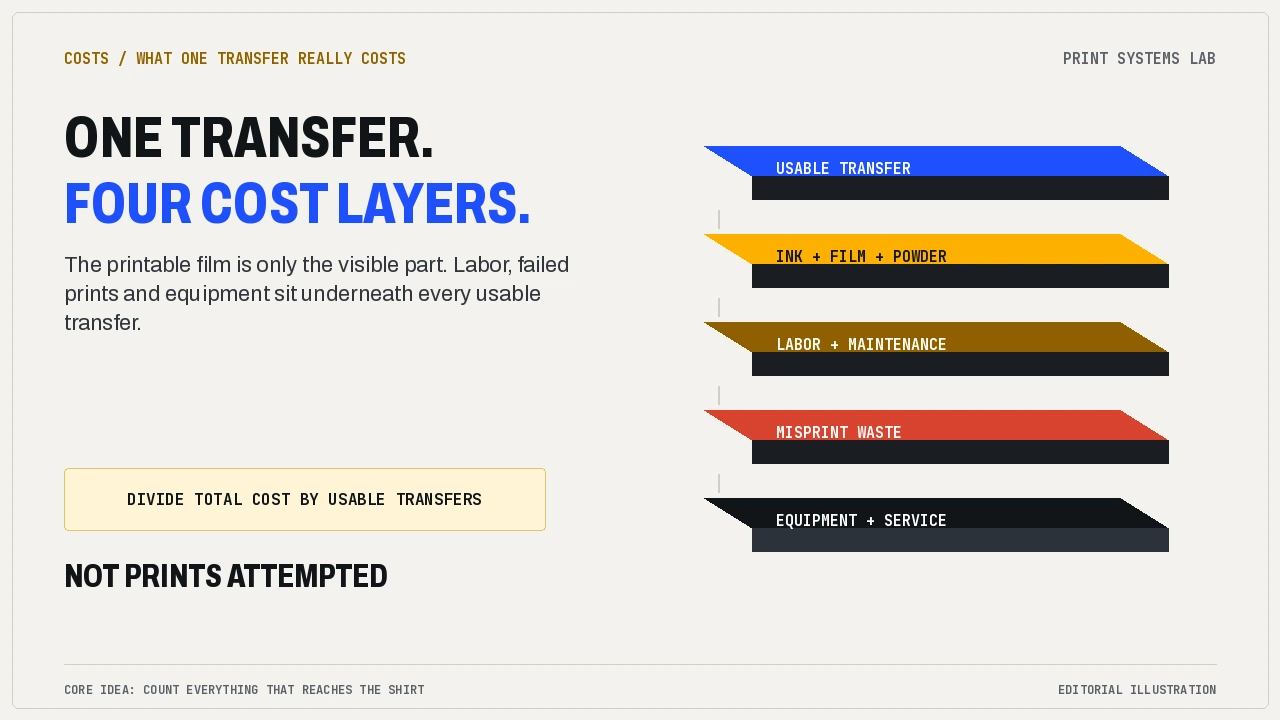
A single in-house DTF transfer costs somewhere between about $1 and $4 to produce, depending almost entirely on how many of them you print in a month and how much of each sheet you actually use. That honest range is the whole point: the “cost per transfer” a printer seller quotes is the cheapest version of the number, and it stops being true the moment your fixed costs get divided across a thin month.
This guide is for a small US apparel shop that already buys gang sheets of ready-to-press DTF transfers and is weighing a printer. You need four numbers from your own paperwork: monthly transfer volume, delivered supplier spend, installed equipment price and maintenance time. Put those together and you can compare ordering with printing in-house without borrowing a seller’s assumptions.
Why the seller’s cost per transfer is the cheapest possible version
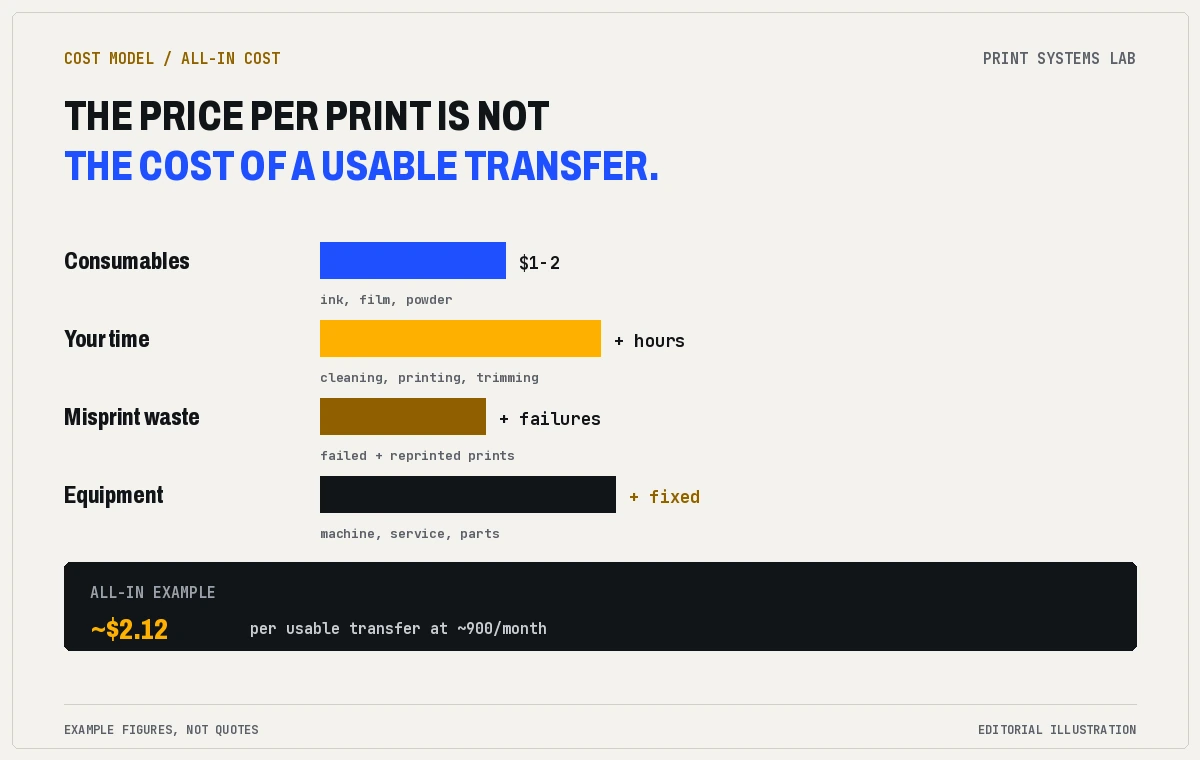
Ask a printer seller what a transfer costs and you usually get an answer built from consumables alone: ink, film, and powder, divided by the prints you could get from a roll. On that basis the number looks small. Supplier cost breakdowns put raw DTF consumables in the neighborhood of $1 to $2 a transfer, with DTF pigment ink running roughly $38 to $45 a liter, because the transfer film and adhesive powder carry part of the load that ink would otherwise bear.
That $1 to $2 is real. It is also the best-case number, because it quietly assumes every print is sellable, your labor is free, the machine never needs service, and a month always has enough work to spread the fixed costs over. None of those assumptions survive contact with a real shop. The printhead alone, which is the component that does the most work, can cost anything from about $300 to $1,600 to replace, before you count the production you lose while it is swapped. Treat the consumables figure as the floor, not the average.
The three cost layers nobody quotes on the same page
The honest cost of a transfer is really three different numbers stacked on top of each other, and sellers rarely show them together.
The first layer is the consumables: ink, transfer film, and adhesive powder. This is the $1 to $2 range.
The second layer is your time and the machine’s upkeep: the morning routine that keeps white ink from settling, cleaning cycles, nozzle checks, and the labor it takes to load film, run the printer, and trim and inspect every transfer. UNINET’s cost-of-ownership bluntly says the true measure isn’t the day-one price but the machine’s cost over time, including every clog and every hour of unplanned downtime. Shops that budget only for ink and film undercount this layer almost every time.
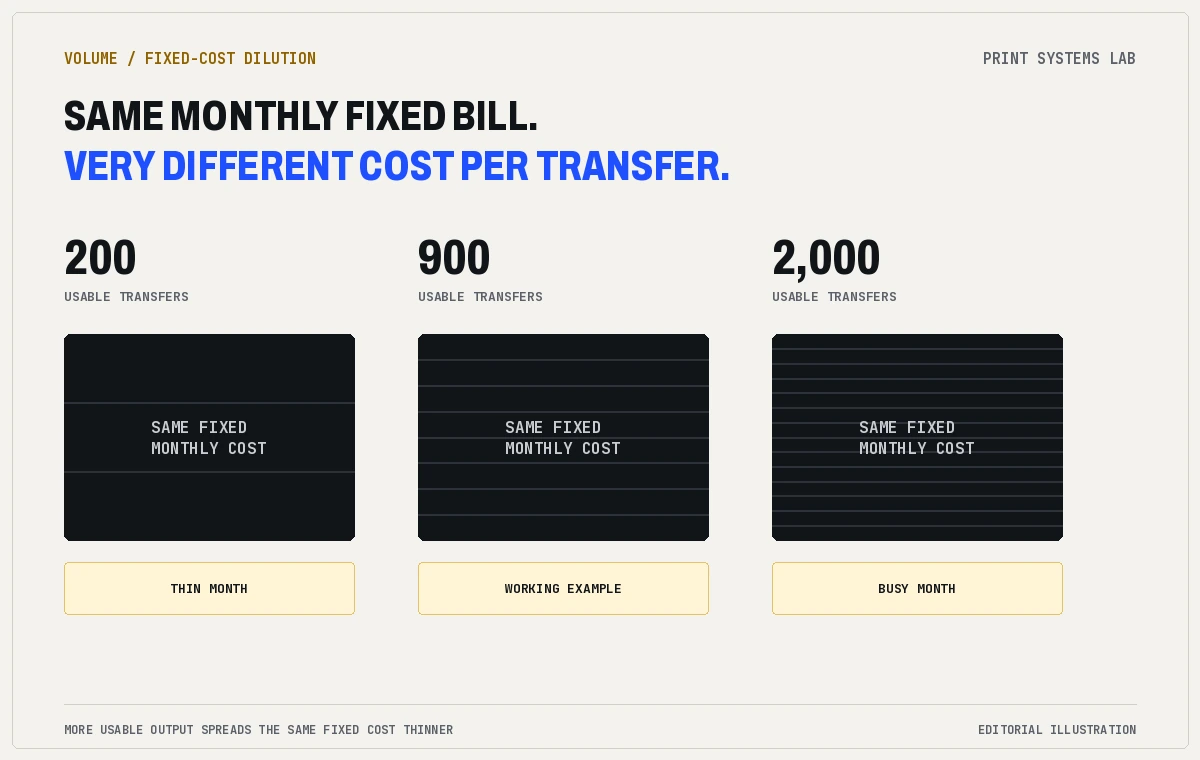
The third layer is the fixed cost of owning the equipment at all: the printer, shaker and dryer, and RIP software spread over how long you plan to keep them, plus a service plan and the slow risk that a failure stops you printing. This layer is invisible in a per-transfer quote, but it is the reason the per-transfer number changes so much with volume.
Usable transfers are what the math actually divides by
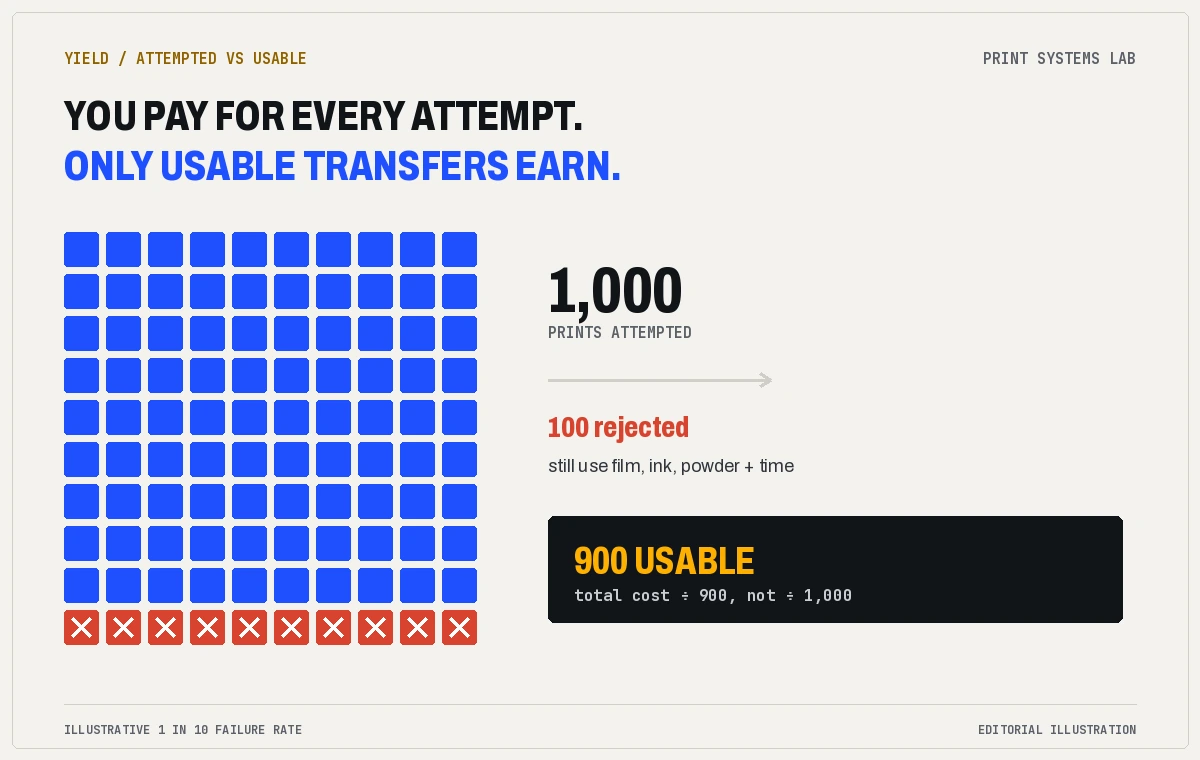
Most break-even math uses the wrong divisor. You do not divide your monthly cost by the prints you make. You divide it by the transfers you can actually use.
Printing is a yield game. Some prints fail, some get misprinted, some tear or cure badly on the film, and some get re-ordered because a design changed after you printed a batch. When a shop runs at a 1 in 10 failure rate, making 900 usable transfers means printing 1,000 and throwing away 100. Those 100 still cost you ink, film, powder, and time, but they earn nothing. The floor of your cost-per-transfer is always multiplied by that failure. It is the difference between “cost per print” and “cost per usable transfer,” and the second number is the only one that belongs in your decision.
Where the fixed costs hide
If you have ever looked at a seller’s spreadsheet and wondered why the monthly cost looked so flat, look again at the fixed lines. Equipment spread over a payoff period is obvious. The lines that come as a surprise are the ones tied to routine and failure:
- Daily and weekly maintenance. White ink settles. Cleaning fluid, wipers, dampers, and the occasional head-soak are consumables too, and the labor is yours.
- Downtime. A failed printhead or a blocked nozzle stops production, and during that stop you are either late to a customer or you are reordering transfers you thought you had left behind.
- Your operator’s hours. Someone has to run it every production day, including days with no orders, or the machine starts costing you the moment you ignore it.
These costs are easy to miss because they do not arrive on the same invoice. Together, they mark the difference between printing transfers and owning a printing operation. A shop that treats the printer like a larger label maker can quote “cheaper than ordering” and still lose money.
Run the number in ten minutes with your own invoices
You do not need a spreadsheet model to get a truthful answer, but you do need your own numbers. Gather three things: your last three supplier invoices, the printer quote on the table, and an honest guess at maintenance hours.
Work from the shop’s actual numbers like this, in order:
- Average your transfer orders over the last three months, including shipping and rush fees, to get your monthly volume and your monthly spend.
- Write down the installed price of the printer, shaker and dryer, and RIP, plus any one-off room work, and divide that over how many months you expect to keep the equipment.
- Add a monthly service-and-parts number from the quote.
- Multiply your maintenance hours by your hourly labor cost, including payroll overhead.
- Take a real guess at your misprint and reprint rate and apply it, because that is what turns “prints made” into “usable transfers.”
That is the whole calculation, and it is exactly what the cost per transfer calculator runs when you slide in your own figures. Use your numbers, not the example defaults, because the honest answer depends on your volume and your failure rate, not on a stranger’s.
A worked example so you can see the shape of it
Here is what the calculation looks like on our example numbers. This is a model, not a claim about what your prices are, but it shows how the layers stack.
Say a shop orders 900 transfers a month and pays about $3.10 each delivered. On the example figures in our calculator, with gear spread over 36 months, a service plan, 12 maintenance hours a month, and a 1 in 10 reprint rate, the in-house cost lands near $2.12 per usable transfer. That saves about $880 a month on paper.
Notice what makes the gap. It is not the ink. It is that the shop has enough monthly volume to spread the printer, the service, and the operator’s time across almost a thousand transfers. Drop the volume and the same fixed costs get divided over far fewer usable transfers, and the gap flips.
When ordering still wins
The calculation works both ways, and a fair one will tell you to keep ordering more often than a seller will.
Ordering wins when your volume is low or lumpy. If you sell 150 transfers one month and 1,200 the next, a printer that needs the same daily care in the thin month is a fixed cost you are paying whether you print or not. Ordering wins when you have no one reliable to run it, because labor is the hidden line that never sleeps. And ordering wins when you need a tight, dependable turnaround but are not ready to be the one holding a machine that can stop.
Our setup comparison covers the other side of this: which kind of printer fits which monthly volume, and how support and parts differ between classes. But the cost decision comes first, and it is a volume decision. If you cannot picture a steady monthly number, the honest answer is usually to keep ordering and revisit after three months of tracking.
What to do next
Run your own numbers once, and keep the sheet. Pull up your last three transfer invoices, get the real installed printer quote, and put your guess at maintenance hours into the cost per transfer calculator. Do it twice: once at your current volume and once at the volume you would realistically need to justify a machine.
The number that matters is not the seller’s cost per print. It is your cost per usable transfer at the volume you can actually sustain. If that number beats your delivered supplier price and you have someone to run the machine every day, the printer is worth a closer look. If it does not, you just saved yourself a very expensive paperweight.